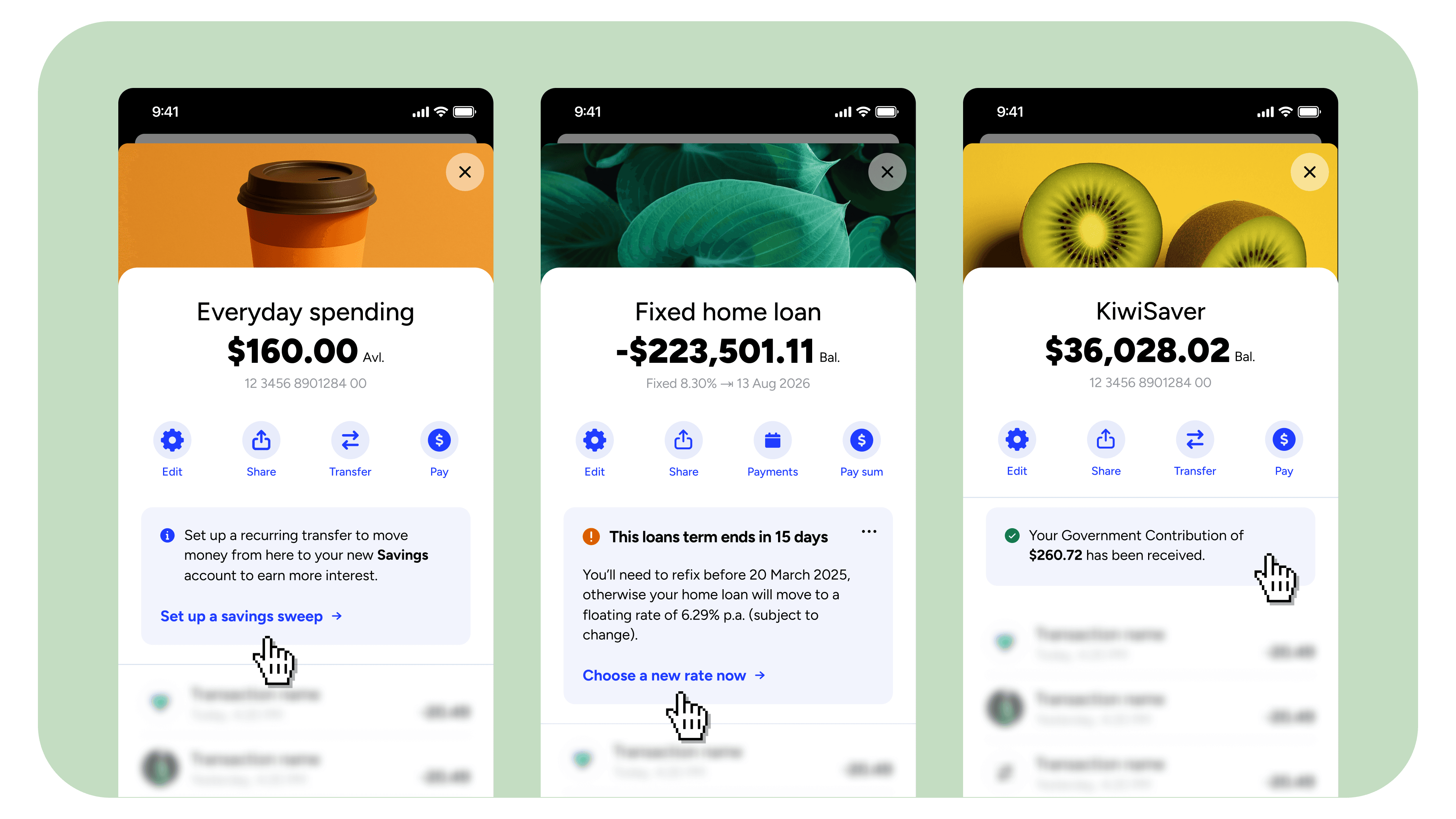
Filtering cards using data from the flow that sent them
Stream filters can now reference Action Flow variables, including payload values from the triggering event. One stream in one container can serve many runtime contexts.

JP Denford
—
Imagine a customer logging into their bank app and clicking into one of their six accounts. They scan a few transactions, back out, click into another account, then a third. The layout is the same on every screen. The balances and transactions aren't.
You'd want Atomic cards on each of those screens to work the same way. A low-balance message might be relevant when they're viewing one account, not another. A reminder about a recurring payment matters on the account it's set up on, not the others. The screen is doing a different job each time the customer clicks into a different account, and the cards on it should change to match.
It's a pattern that shows up a lot: one screen that serves many underlying things, same UI, different content depending on context.
To build it, you'd want one container, a stream of possible cards behind it, and a filter that only displays the ones relevant to the specific account being viewed. Atomic now supports that directly.
Streams and containers, briefly
A container is real estate inside your app, defined in code, where Atomic cards are allowed to appear. A stream is a logical grouping of card instances that show inside a container. You decide a card's stream at design time in the Workbench; the container that renders it is a downstream setting. Multiple containers can show the same stream, which is how the same logical surface ends up in different parts of the app.
The simple model is: cards are sent to a stream, streams are rendered by containers.
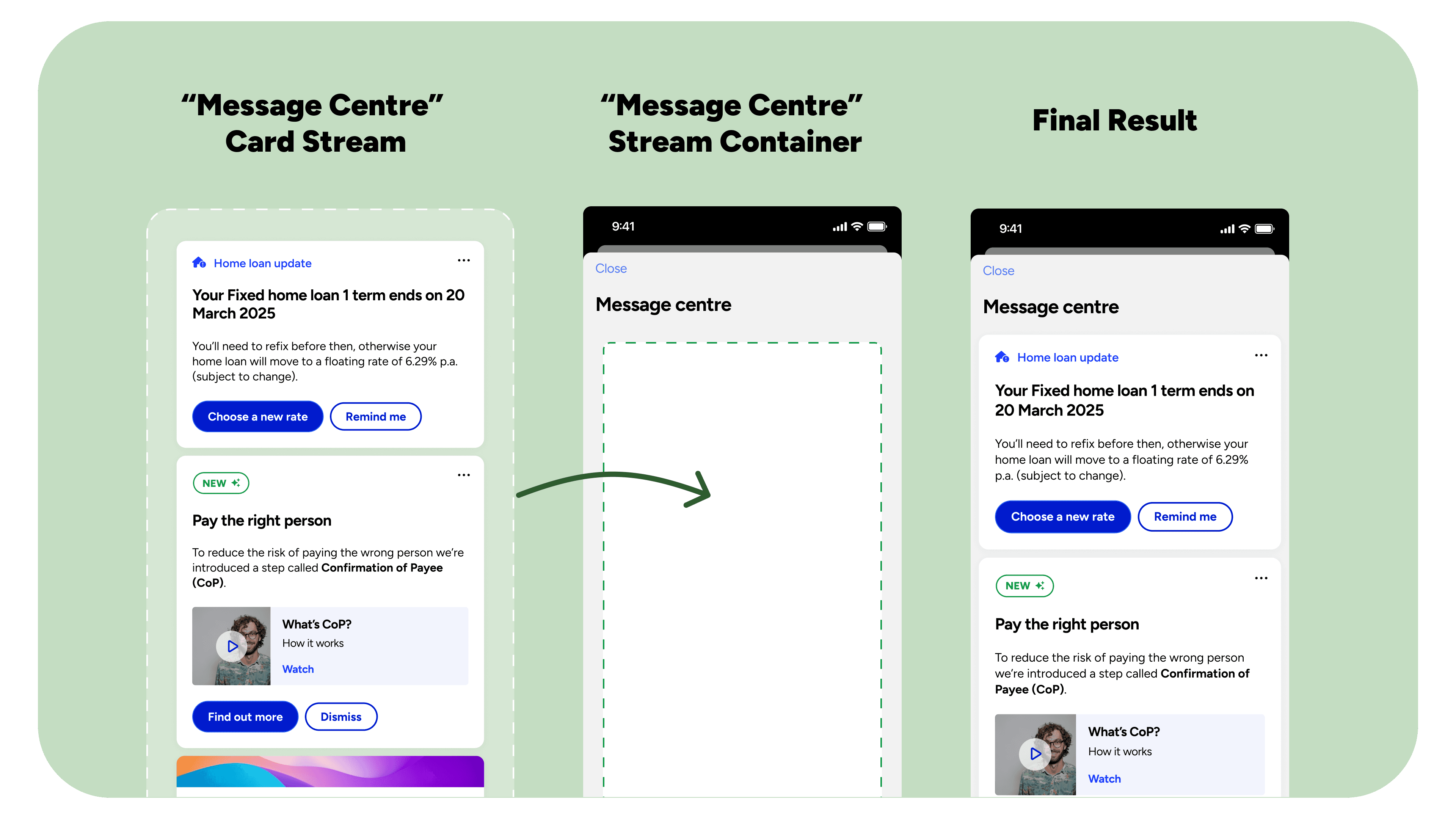
For most cases that's enough. Some screens hold a single logical stream whose contents need to vary at runtime depending on what the client is currently displaying. A separate stream and container per variant duplicates both, and on screens like account details or product pages the set of variants isn't known at design time.
What's new
Stream filters can now reference Action Flow variables, including payload values from the event that triggered the flow.
In practice, that means two related things. Workbench-configured stream filters can be set up to use Action Flow variables and payload values, deciding server-side which cards reach a given stream. And on the client, the SDK can apply stream filters that reference the same data, so the same stream renders different cards at runtime depending on the value of a variable.
The substance of the change is the new data dimension. Until now, stream filters worked off attributes baked into the card itself: priority, template ID, template name, custom variables defined in the Workbench. Now the variables and payload values flowing through the Action Flow that sent the card are also available. Anything you set in the trigger event, or set as a flow variable along the way — an account ID, a product code, a tag, a journey reference — is something a stream filter can match against.
How that's built
In the Workbench, one stream is configured for the account details surface, with all the relevant card templates flowing into it. In the app, that stream is bound to a single account-details container. The same container is reused across every account the customer has.
Each card published into the stream comes from an Action Flow whose trigger event payload includes an opaque account reference. That reference is a UUID, not the account number itself; the systems outside Atomic that know about the customer's accounts already have these references, and the flow simply carries the right one through to the card.
On the client, the stream filter on the account-details container matches that UUID against the account currently in view. When the customer switches accounts, the filter value updates and the stream re-renders the cards for that account. The container stays the same. The stream stays the same. Only the filter value changes.
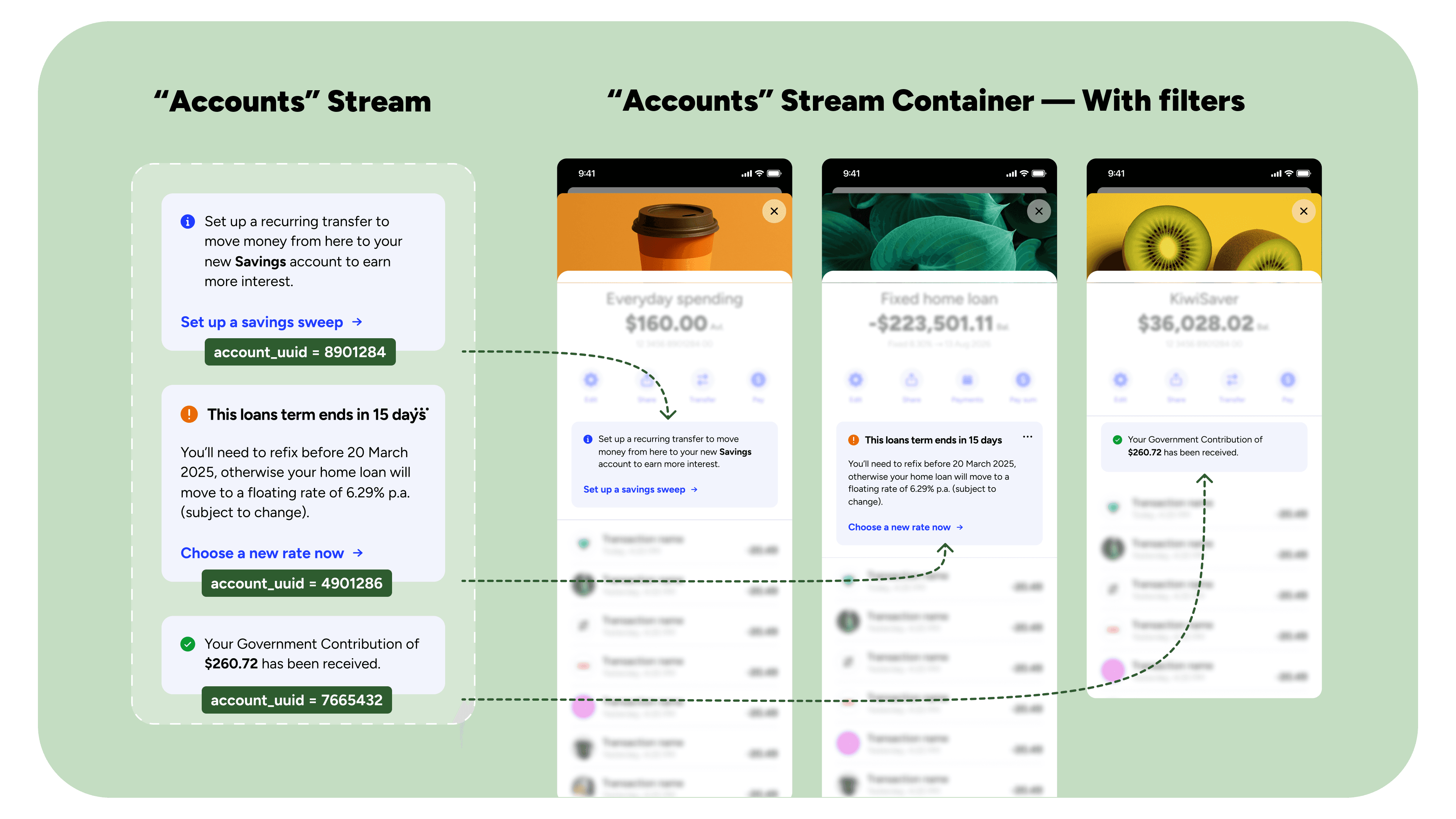
The same setup applies to product detail pages, per-property dashboards, per-trip itineraries: any screen that serves a variable underlying thing.
A secondary use case: user-driven filtering
The same plumbing supports a different pattern: a UI in your app that lets the customer toggle filters or search across the cards in a stream. The Atomic SDKs handle this directly; the web SDK supports it as well, although it currently has to re-initialise the container when filters change, which is why we tend to nudge people toward the native SDKs for this pattern. The new filter-data dimension makes user-driven filters meaningfully richer — there's more to filter against than there was before.
Setting it up
The work is short:
Decide what tells the variants apart. An account reference, a product code, a journey ID, anything the runtime context will need to match against.
Make sure it's available in the flow. Either include it in the triggering event payload, or set it as an Action Flow variable along the way.
Reference it in the stream filter. Either in the Workbench, where the filter is part of the stream's configuration, or on the client, where the SDK applies a filter at the moment of render.
Test with realistic events. Filter values are only as good as their shape; a field arriving as a number on the client and as a string in the filter will quietly miss.
The Action Flow context reference is the right place to look for what data the flow has access to. For the client side, the SDK references list the filter values available on each platform: iOS, Android, Web (which documents addPayloadVariableFilter and addPayloadMetadataFilter directly), Flutter, and React Native.
Where to start
If you've previously avoided Atomic for a screen because of the one-stream-per-variant problem, this is the change worth revisiting. A single stream now stretches as wide as the variables and payload values flowing through the flows that feed it.
If you want to talk through how this might fit a specific surface in your app, the team is happy to sketch it with you.
About the author
JP Denford
Senior Platform Engineer
JP is a senior engineer at Atomic. JP is often coordinating with our product and design teams, architecting new features, and reviewing or writing code.



